
Google Gemini
Screen2Compose.
Designing AI-Readable Interfaces for Code Generation.
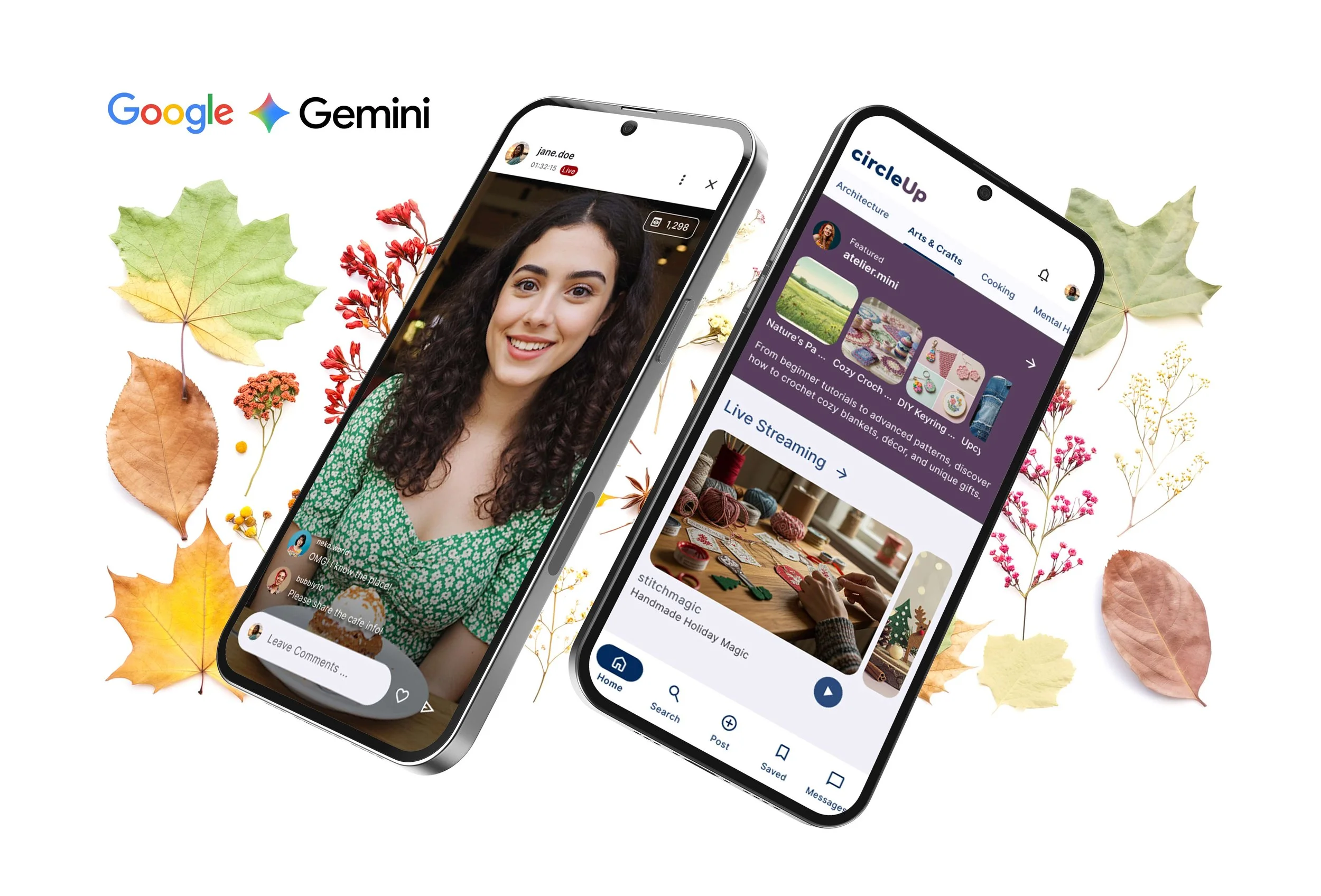
This project sat at the intersection of design systems, machine learning, and developer experience, redefining how UI is created—from manual handoff to AI-assisted generation.
The Role.
Product Design Lead (UX / AI Dataset Design)
-
AI Product Design / UX Strategy / Problem Framing / User Journeys / Conversational UX / Prompt Design / Information Architecture / Facilitating Workshops / Idea Jam / User Flows / Wireframing / Prototyping / Visual Design / Icon Design / Web Design / Stakeholder Alignment / Design Guidelines
The Clients.

Featured.
The Challenges.
Traditional designer–developer handoff introduces friction:
Interpretation gaps between design and code
Slower UI delivery cycles
Inconsistent implementation quality
Google’s goal was to train an AI model (Screen2Compose + Circle2Fix) that could:
Convert UI screens into accurate Compose code
Adapt layouts based on prompt-based modifications
Reach a target of 80% generation accuracy
This required high-quality, structured, and variation-rich design datasets — not just visually appealing screens, but machine-readable design logic.
Overview.
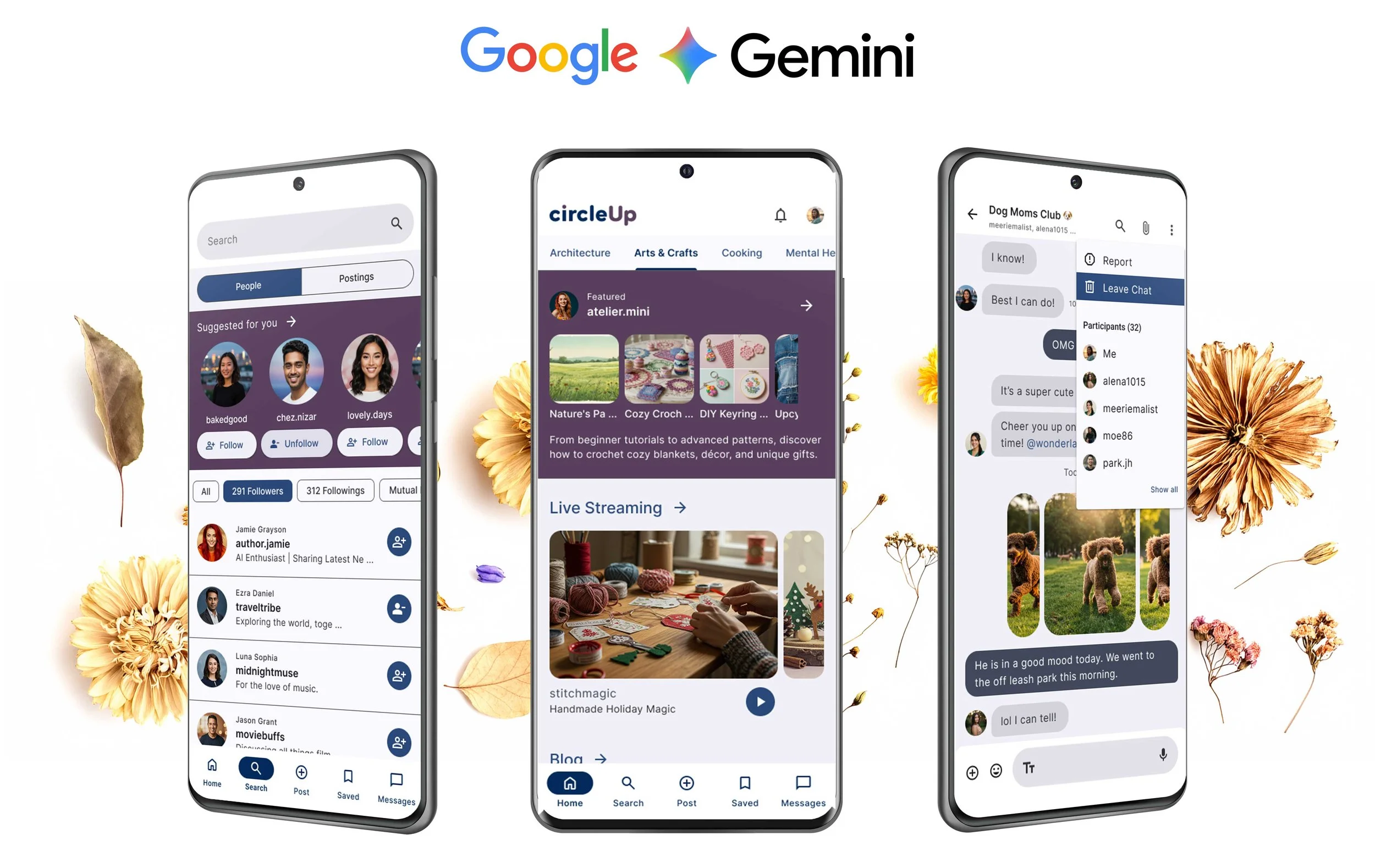
Worked with Google Android team to design structured UI datasets that enable AI models to translate visual screens into production-ready Jetpack Compose code.
My Role.
Product Design Lead (UX / AI Dataset Design)
Established foundational design system for dataset creation
Defined component taxonomy and layout logic for AI ingestion
Designed high-volume UI screens with structured variation
Collaborated with Android engineers on model behavior and constraints
Identified risks in AI interpretation (layout ambiguity, accessibility, consistency)

Approach.
Designing for Machines, Not Just Humans.
Unlike traditional UX, the goal was not only usability—but interpretability by AI models.
Each screen included:
Visual layout (Figma)
Jetpack Compose code
Structured textual description
This ensured the AI could learn relationships between:
Layout
Components
Code output
Systematic Dataset Creation.
Built datasets across multiple UI dimensions:
Layout & spacing
Typography
Components (buttons, forms, lists)
Theming & dark mode
Responsive/adaptive grids
Each dataset introduced controlled variations (e.g., padding, alignment, sizing) to train the model’s flexibility.
Continuous Feedback Loop.
Worked in tight iteration cycles with Google:
Design → Code → AI ingestion
AI output evaluation
Dataset refinement
This created a learning system between humans and AI, not a one-direction pipeline.
Designing Variations for AI Learning (Circle2Fix).
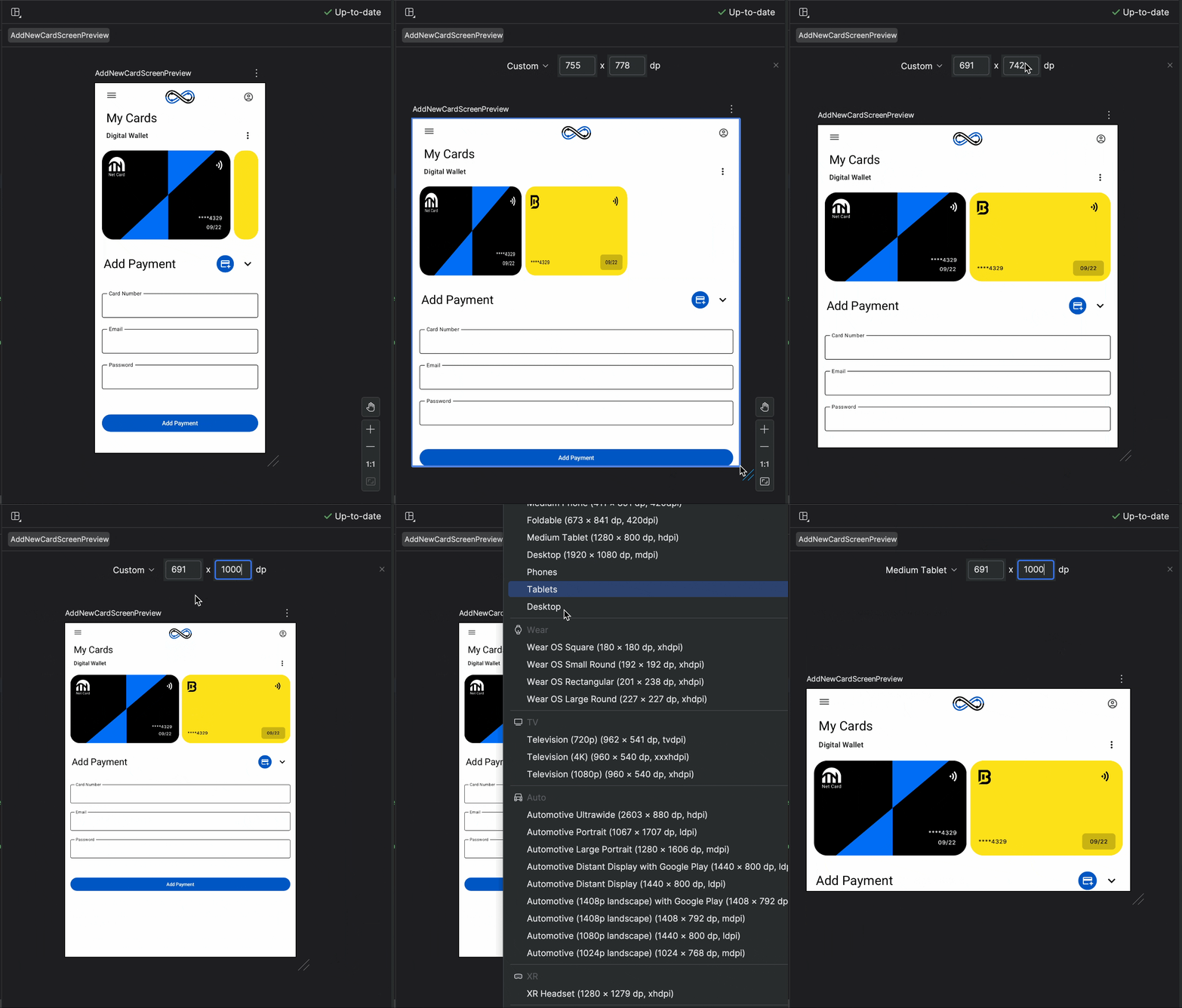
Phase 2 focused on code refinement through variations:
Example:
Increase padding by +1px → +5px
*Change alignment (left → center → right)
Modify container size / hierarchy
These variations trained the AI to respond to prompt-based UI changes, similar to how developers iterate in real workflows.
Outcome.
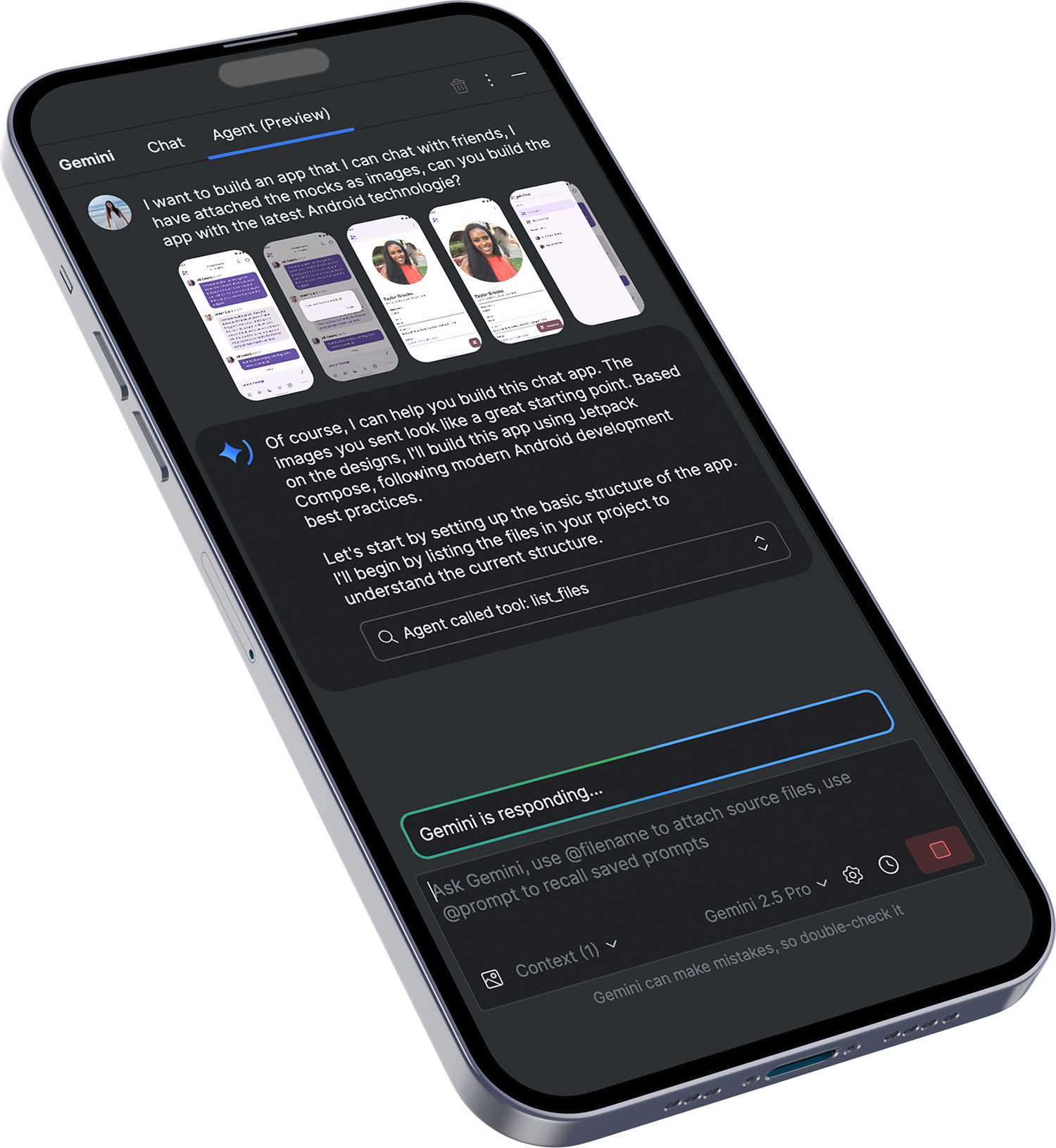
Contributed to 130+ structured UI datasets for AI training
Supported progress toward 80% model accuracy target
Established scalable dataset design framework for future AI training
Enabled foundation for prompt-driven UI modification (Circle2Fix)
Reduced ambiguity in design-to-code translation
Impact.
This project redefines UX beyond interfaces:
From.
Designing screens
To.
Designing systems that teach machines how to design
It represents a shift toward:
AI-assisted development workflows
Faster UI production cycles
More consistent design implementation
Aligned with broader evolution in Android tooling such as AI-powered features in Android Studio that enhance developer productivity and UI generation.
The Learning.
Good design for AI requires structure, consistency, and explicit logic
Ambiguity in UI = failure in AI output
Design systems become training data, not just UI guidelines
Human–AI collaboration must be intentionally designed